
News, dapps, push
what holders read and open.
Write news, choose which dapps can be opened from the wallet, add labelled partner links, and schedule notifications.
01News
These are console forms; nothing is run in a terminal.
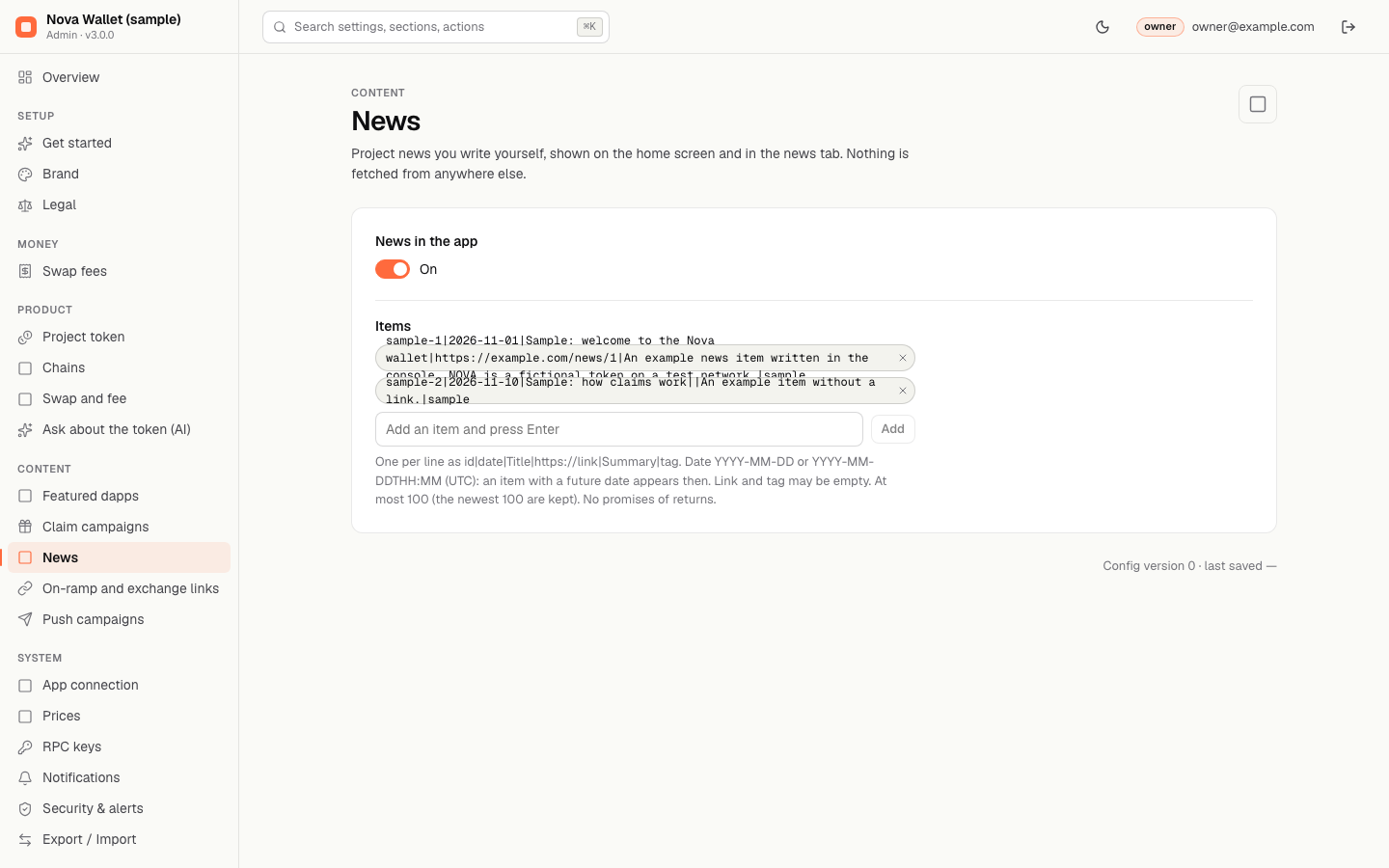
Console, News: switch it on and write one line per item (at most 100): id|date|Title|https://link|Summary|tag. Nothing is fetched from the web; the app shows exactly what you wrote, newest first, and hides future-dated items.
02Featured dapps (allowlist)
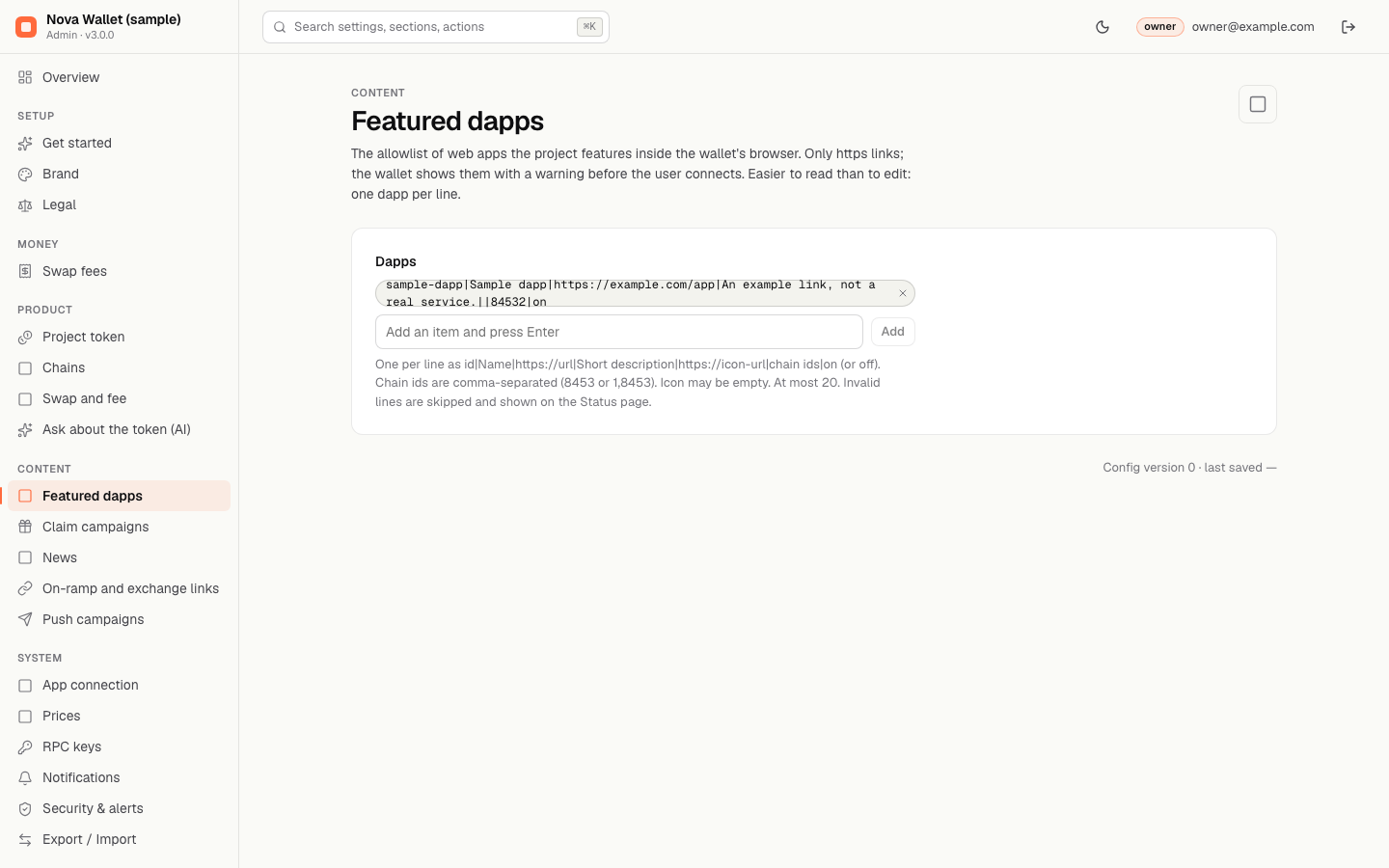
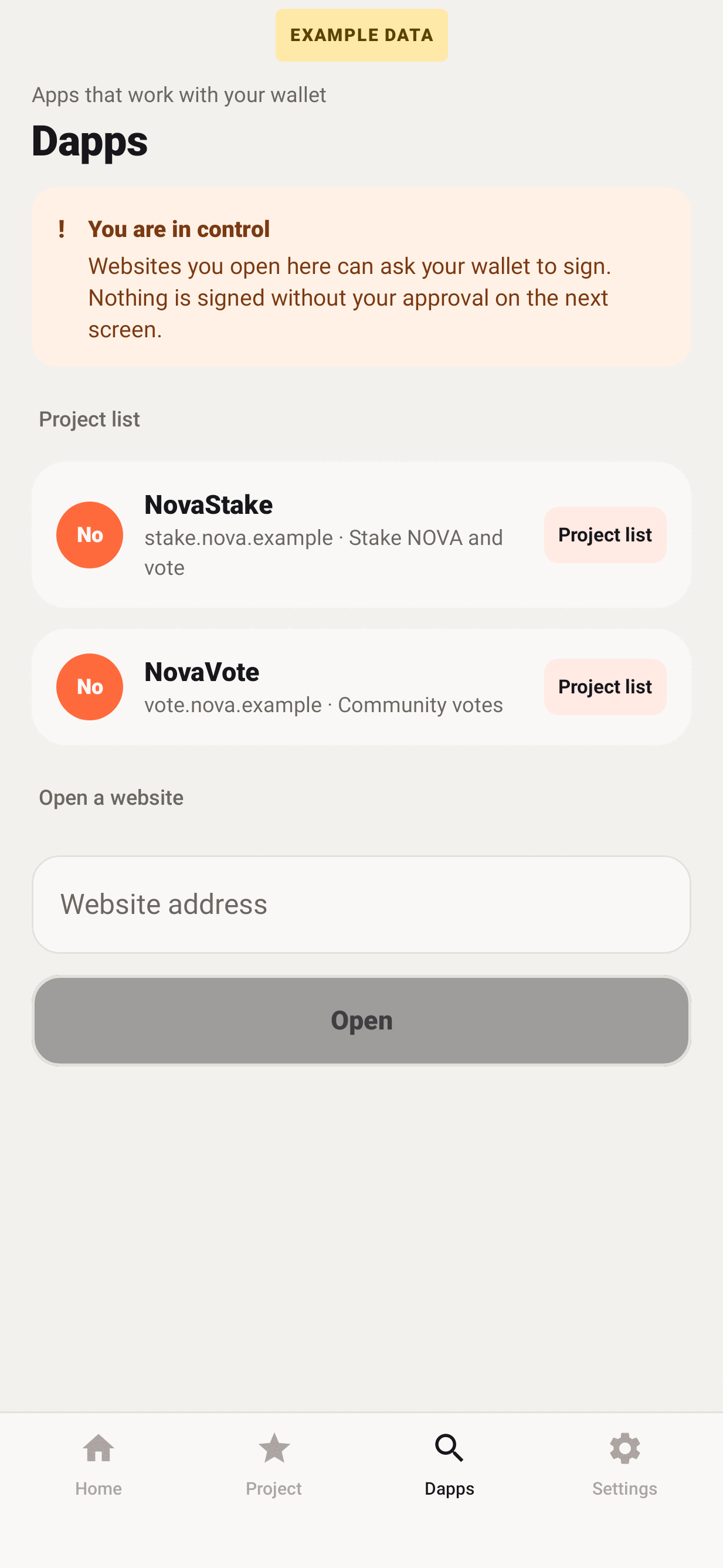
Console, Featured dapps, one line per dapp (at most 20): id|Name|https://url|description|https://icon|chain ids|on. Only https addresses can be featured. The app opens a featured dapp behind a note that says it is on the project's list but is still a website. Other sites can be opened by typing an address and carry a stronger warning ("not on the project's list"). Plain http is shown as "Not secure". The rules of the built-in browser are on Security.
03On-ramp and exchange links
Optional partner links, off and empty by default. Each is shown with your label (default "Affiliate link") and a disclosure text on the screen that lists them. Line format: id|Name|https://url|https://logo|onramp or exchange|on. Taps are counted under Link clicks (counts only, no user or address). Follow the affiliate programme's rules and your local advertising rules, and never describe a partner link as advice.
04Push campaigns
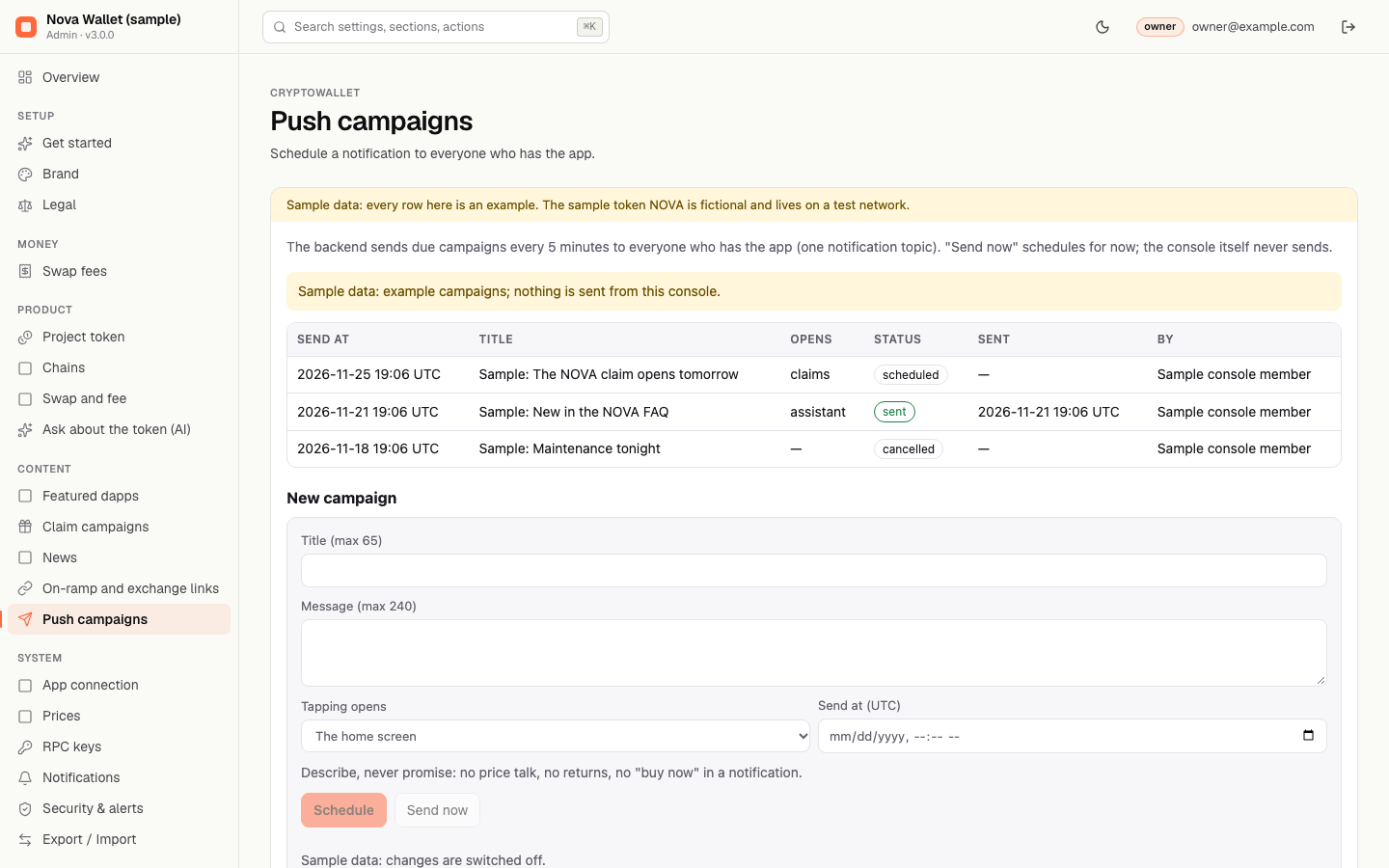
The console page Push campaigns creates a campaign with a title (up to 100 characters), a body (up to 500) and an optional screen to open (token, swap, claims, news, assistant). "Send now" is picked up by the next 5-minute run of the sendCampaigns function, which sends it once to the Firebase Cloud Messaging topic all. The console warns against price talk.
The app receives push only when your Firebase project is connected: download google-services.json for your Android app id from the Firebase console and put it at app/app/google-services.json, then rebuild. Without that file the app builds and runs with push switched off and never starts Firebase. After setup the app asks the user once, in plain words, whether to receive announcements (Android 13 and newer also show the system permission), subscribes to the console topic and registers the device with POST /v1/devices. Tapping a notification opens the token, swap, claims, news or assistant screen; on a locked wallet it opens after unlock. To build without push even when the file is present, add -PnoPush=true.