CryptoWallet
a wallet for your own token.
Everything you need to build, configure, rebrand and publish your own branded, non-custodial token wallet for Android. Read it top to bottom the first time. After that, press / and search.
01What you bought
AI tools were used to assist with parts of the code, documentation and graphics of this item.
Android app (Kotlin) — iOS is not included.
This is the documentation of CryptoWallet | Brand Token Wallet Android App With Admin Panel, version 3.0.0.
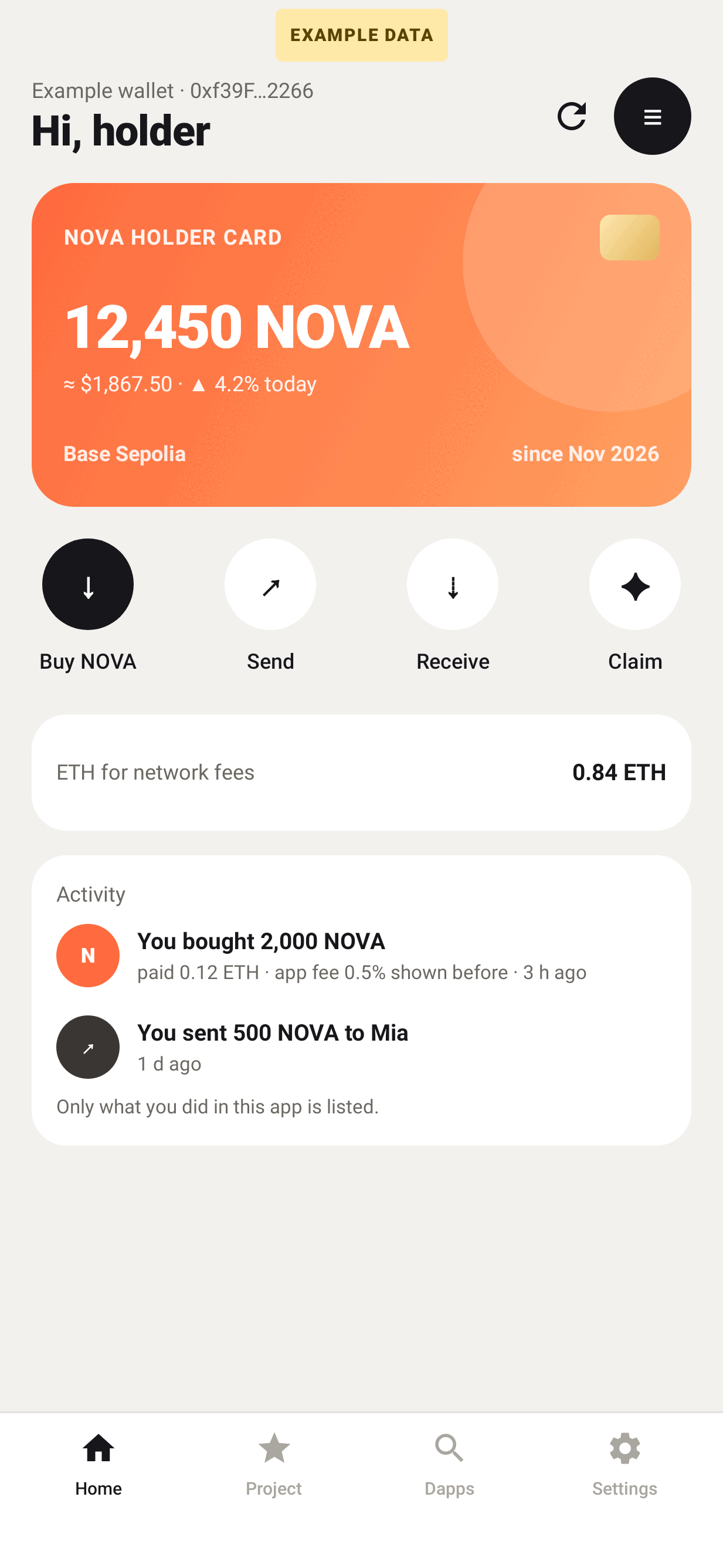
CryptoWallet is an Android wallet whose home screen is one project token: yours. Holders create or import a wallet, see the token on a card, buy it through a swap, send and receive, follow the project's news, check and claim airdrop campaigns, open the project's dapps in a built-in browser, and ask a labelled assistant that answers only from your FAQ. You run the project side from a web page, the operator console, without changing code.
All keys live on the phone. The backend and the console never receive a recovery phrase, a private key or a signature, and they cannot move anyone's money. The app promises no returns and gives no advice, and the assistant refuses price and investment questions. Keep your store listing and marketing in the same spirit.
The package has three parts that share one contract (docs/CONTRACT.md: configuration, endpoints, data model):
| Folder | What it is |
|---|---|
app/ | The Android project (Gradle, Kotlin, Jetpack Compose, minSdk 26, compileSdk and targetSdk 36). :core is plain Kotlin (keys, chains, signing decoder, 0x client, Merkle claims) and :app is the Android application. |
firebase/ | Cloud Functions (TypeScript, Node.js 24 runtime): one /v1 API that keeps your third-party keys off the phone, plus a push-campaign job, Firestore security rules and indexes. |
admin/ | The operator console, a small Node.js 26 LTS server built on the MIKODES Admin Kit: brand, token, networks, swap fee, content, keys with Test buttons, team and audit log. |
docs/ | The contract (CONTRACT.md) and these pages. |
02Features at a glance
- Wallet: create a 12-word phrase, or import a 12/24-word phrase, a private key, or a watch-only address. Keys are encrypted with the Android Keystore; biometrics or a PIN confirm every signature.
- Home: a holder card with the project token, Buy, Send, Receive and Claim, and activity written as plain sentences.
- Networks: Ethereum, Base, BNB Chain, Polygon and Arbitrum One, plus five test networks. You choose which are on.
- Buy through a swap: 0x Swap API v2 through your backend, with an optional fee you set, shown to the user before signing.
- One signing screen for sends, swaps, approvals, dapp requests, claims and messages, with an ALLOW, WARN or BLOCK verdict. Unlimited approvals are blocked.
- Approvals: a list of what the wallet knows can spend your tokens, with revoke.
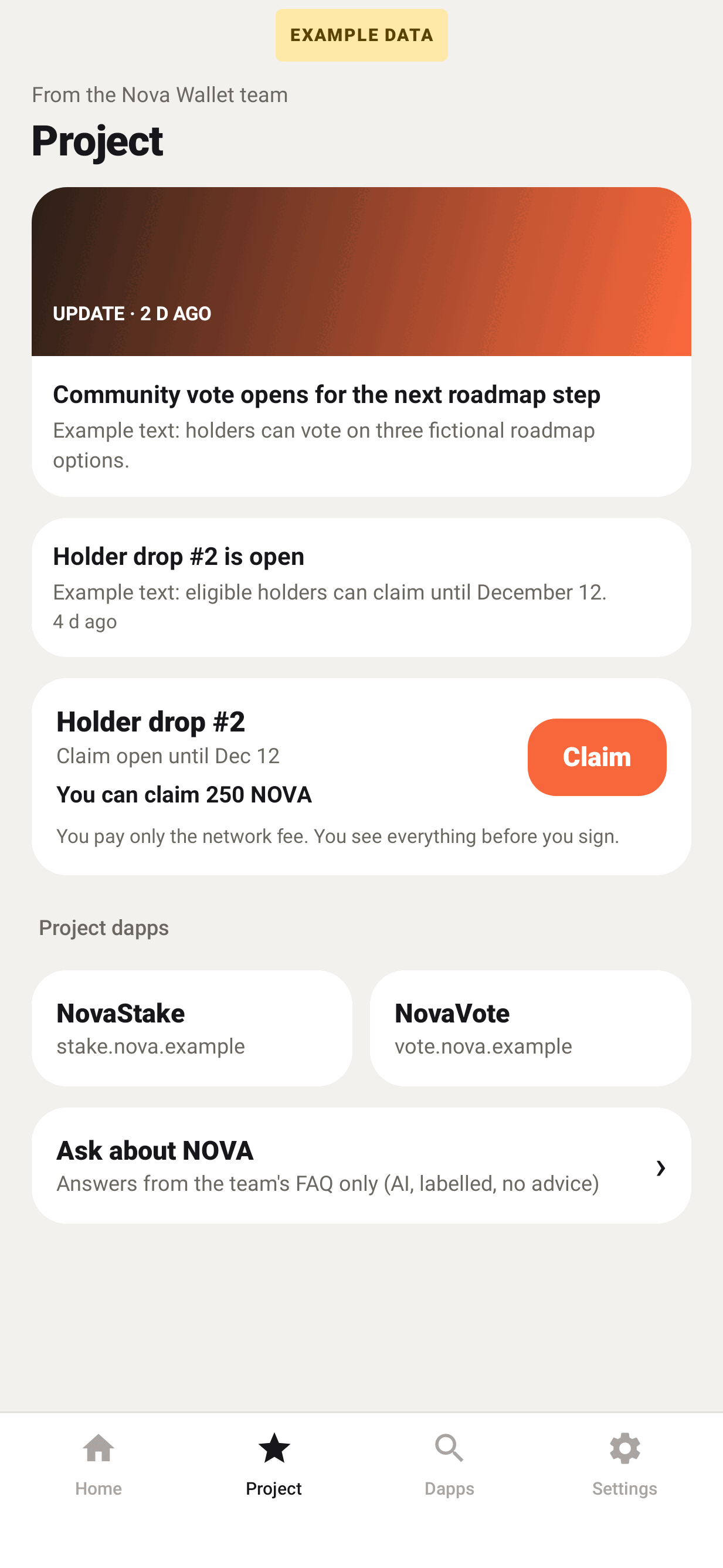
- Project tab: your news, claim campaigns (Merkle distributor), featured dapps, partner links and the "Ask about your token" assistant.
- Dapp browser: an in-app browser with an EIP-1193 provider, bound to the page origin and the active account.
- Console: every setting above, with history, audit log, team roles and write-only keys.
03The one revenue mechanism
The app is revenue-ready through a single mechanism, the swap fee: you set recipient addresses and a share in basis points, and 0x pays it on-chain to your addresses in the same transaction as the swap. It ships off, at 0 bps. There are no ads, in-app purchases or sponsored slots. The console shows your recipient addresses with explorer links and never estimates income. See Swap fee.
04Pick your path
05What is not included
A Firebase project on the Blaze plan, a 0x account and API key, hosting for the console, a Google Play developer account, and your privacy policy and terms pages. Optional: an RPC provider, a CoinGecko key and an AI provider key. See Costs.
06How to read these docs
- Dark boxes are commands. Press Copy and paste them into a terminal. Grey text after
#is an explanation and is not copied. - Text in angle brackets, like
<your-project-id>, is a placeholder. Replace it, brackets included. - Paths start at the
source/folder of the ZIP, which holdsapp/,firebase/,admin/anddocs/(open your terminal there). In the ZIP,source/app,source/firebaseandsource/adminare the three parts. - Commands are shown for macOS and Linux. On Windows use PowerShell; where the syntax differs the page says so.
- Required marks steps you cannot skip before a public release. Optional marks steps for a feature you want.