
Swap fee
set it, show it, get paid on-chain.
How buying through the app works, how to set your fee in basis points and your recipient addresses, and how users see the fee before they sign.
01How it works
- You set up to three recipient addresses and a share for each, in basis points (100 bps = 1 %), and your 0x API key, in the console.
- The app asks your backend for a quote with only the chain, tokens, amount, the user's address and slippage. It never holds the 0x key and never sends fee parameters.
- The backend adds your fee to the 0x request after validating it again, and 0x returns a transaction whose route pays the fee.
- The user sees the fee (percentage and amount) on the swap screen and the signing screen before signing.
- 0x pays your addresses on-chain, in the same transaction, in a token of that swap. Nothing passes through your backend or the console.
02Set it up
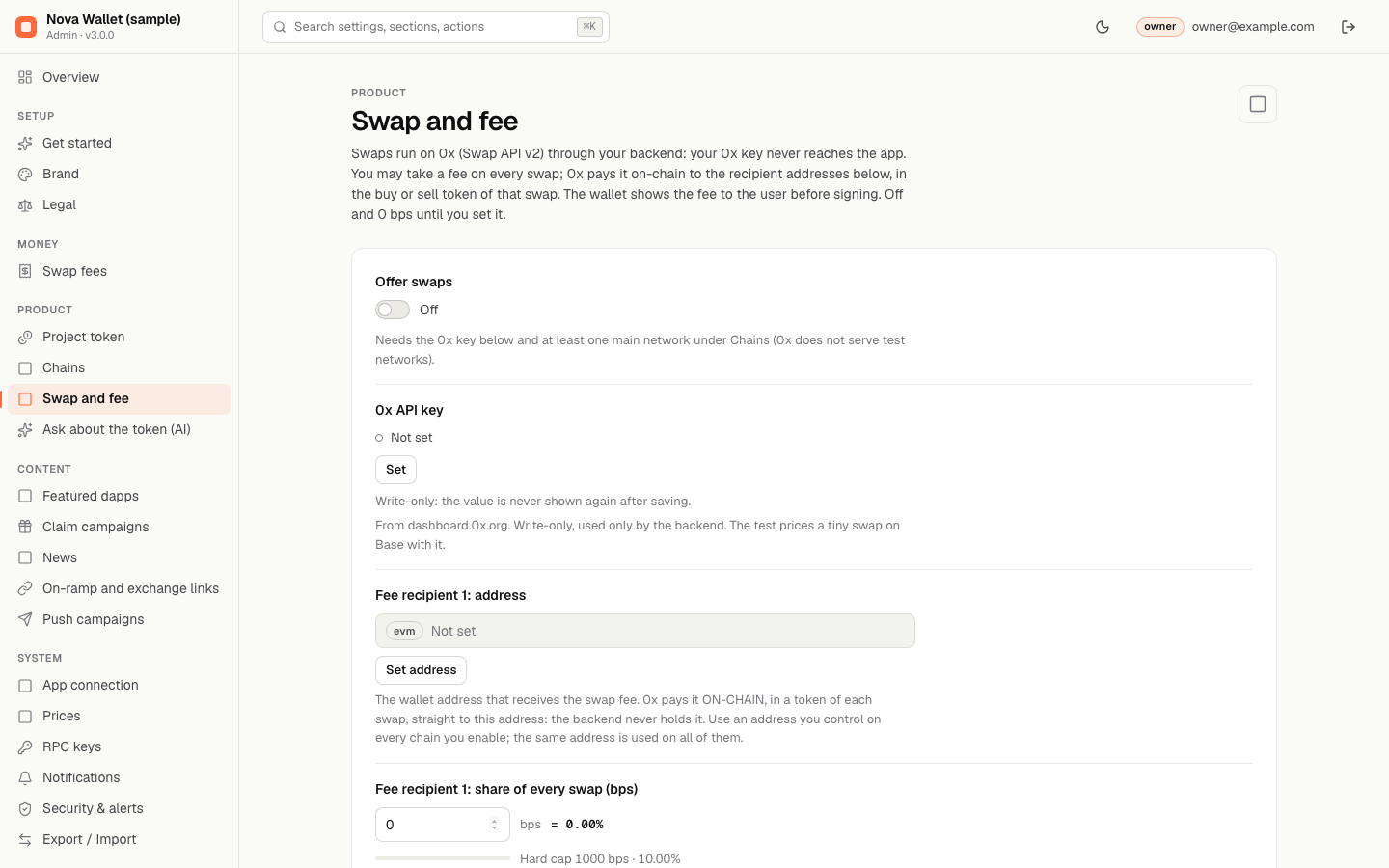
- 0x API keyConsole, Swap and fee, 0x API key, Set. Press Test: the console makes a read-only price call on a main network (Base when none is on; 0x serves no test networks). The key is encrypted, never shown again and written only to
config/private. - RecipientsFee recipient 1 (and 2, 3): an address you control and the share in bps. The hard cap is 1000 bps (10 %) per recipient, enforced by the server whatever a browser sends. The same address is used on every chain you enable, so use one you control on all of them.
- Fee token
autolets 0x choose,buyorselltakes the fee in that token of the swap. - Slippage and budgetsDefault and maximum slippage in bps, plus calls per minute for the whole backend and per IP. Keep them below your 0x plan's limit.
- Offer swapsSwitch on. It needs the key and at least one main network under Chains.
A fresh install has swaps off, 0 bps, no recipient. A configuration the backend cannot send as is (a share above 1000, an address that is not an address) gives 503 not_configured and the swap entry is hidden: the fee is never silently changed.
03What users see
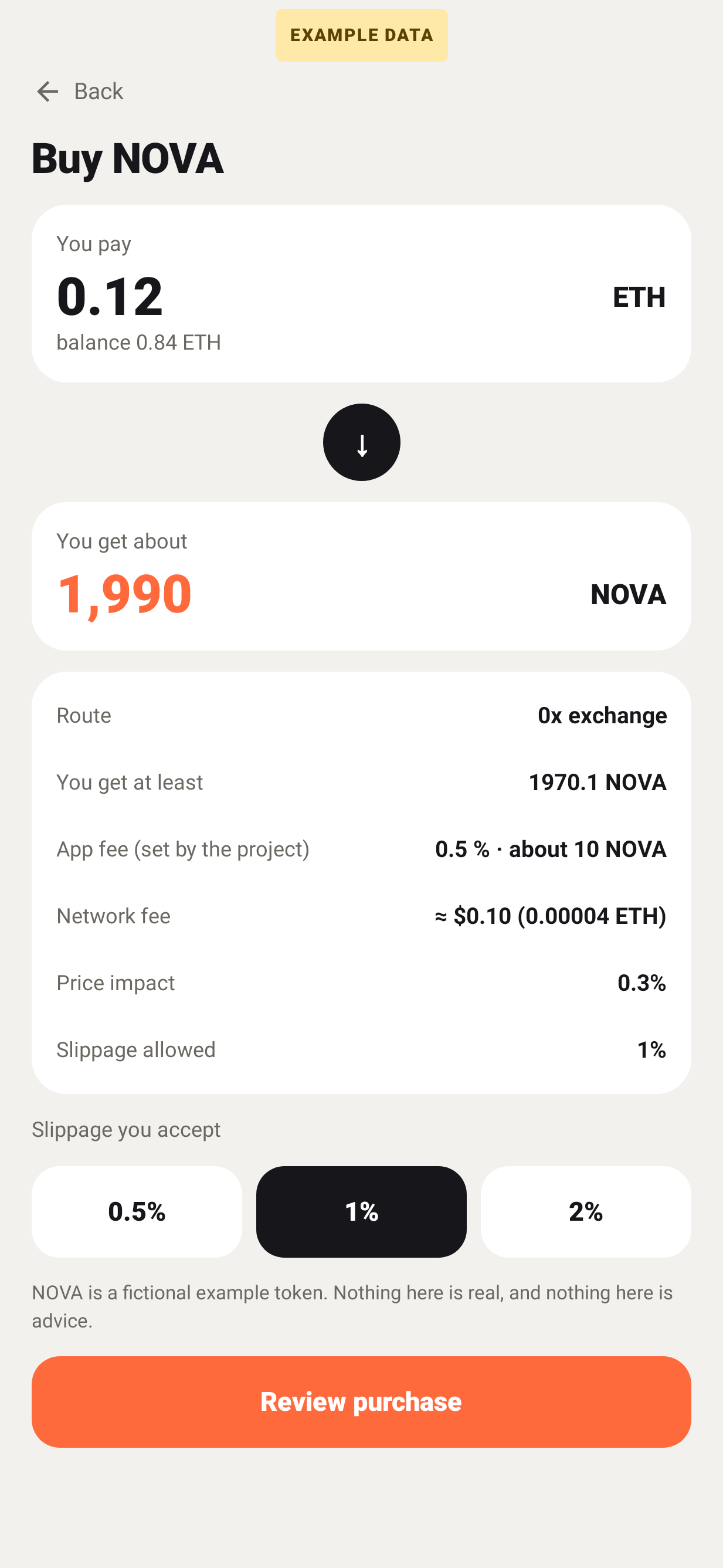
The Buy screen lists the price, the operator fee (for example 0.25 %), 0x's own fee if any, the network fee in the coin and, when a price is available, in dollars. Price impact reads "not reported" because the 0x endpoint used does not return one. Every number is input from the server; the signing screen decodes the transaction itself.
The swap is called a calm "0x swap" only when the app verifies it: the transaction goes to the AllowanceHolder address hardcoded in the app for that chain, the sell token and amount match the screen, and the output goes to the user's own account with at least the minimum shown. If any check cannot be made, the unknown-contract warning stays and the user may only sign after ticking it. See Security.
04Seeing what you received
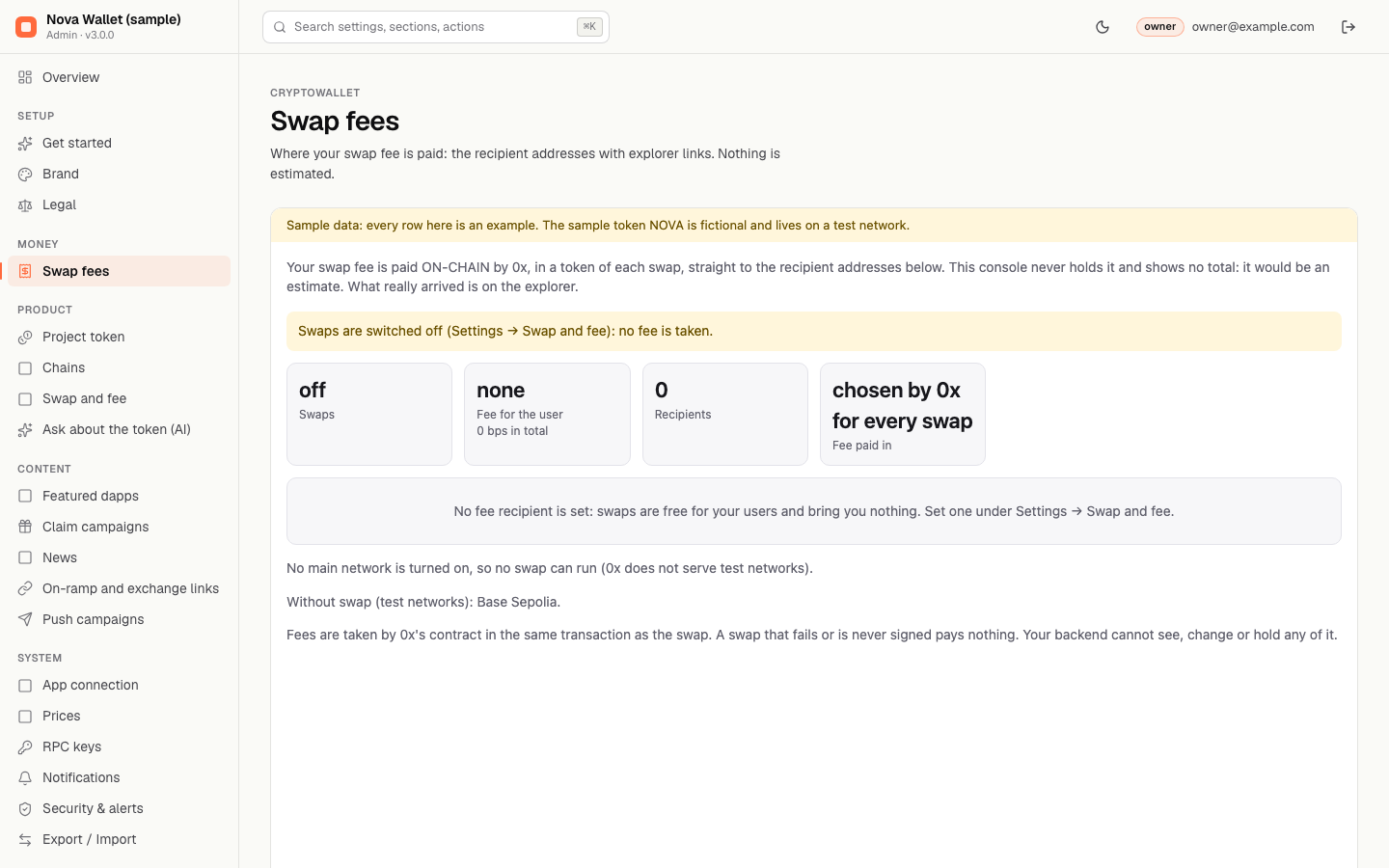
The Swap fees page lists your recipient addresses with an explorer link for each chain where swaps run. It shows no amount and no total, because the fee never passes through your system: look at the recipient address in the explorer. The Status page warns while no fee is set. This documentation makes no estimate of what a fee will bring; it depends on your users and your market.
05Your responsibilities
- Disclose the fee in your store listing and legal pages. The app shows it before every signature.
- Check 0x's current terms on integrator fees and on which countries and tokens it serves, and your own local rules on charging a fee.
- Keep the fee recipient address safe. Changing it is an owner-only setting recorded in the audit log.