
Claim campaigns
a Merkle distributor in the app.
Let eligible holders claim from your Merkle distributor contract. The app looks up the proof for the user's address and sends the standard claim transaction after the user signs.
01What you need
A deployed Merkle distributor contract that follows the common interface: isClaimed(uint256 index) and claim(uint256 index, address account, uint256 amount, bytes32[] merkleProof), and the proofs file for it. You create the contract and the file with your own tooling. The wallet does not deploy contracts, fund them or decide who is eligible.
02Add a campaign
Nothing to run for this step: it is a console form. If you test the proofs file with curl in PowerShell, call curl.exe (plain curl is an alias for another command).
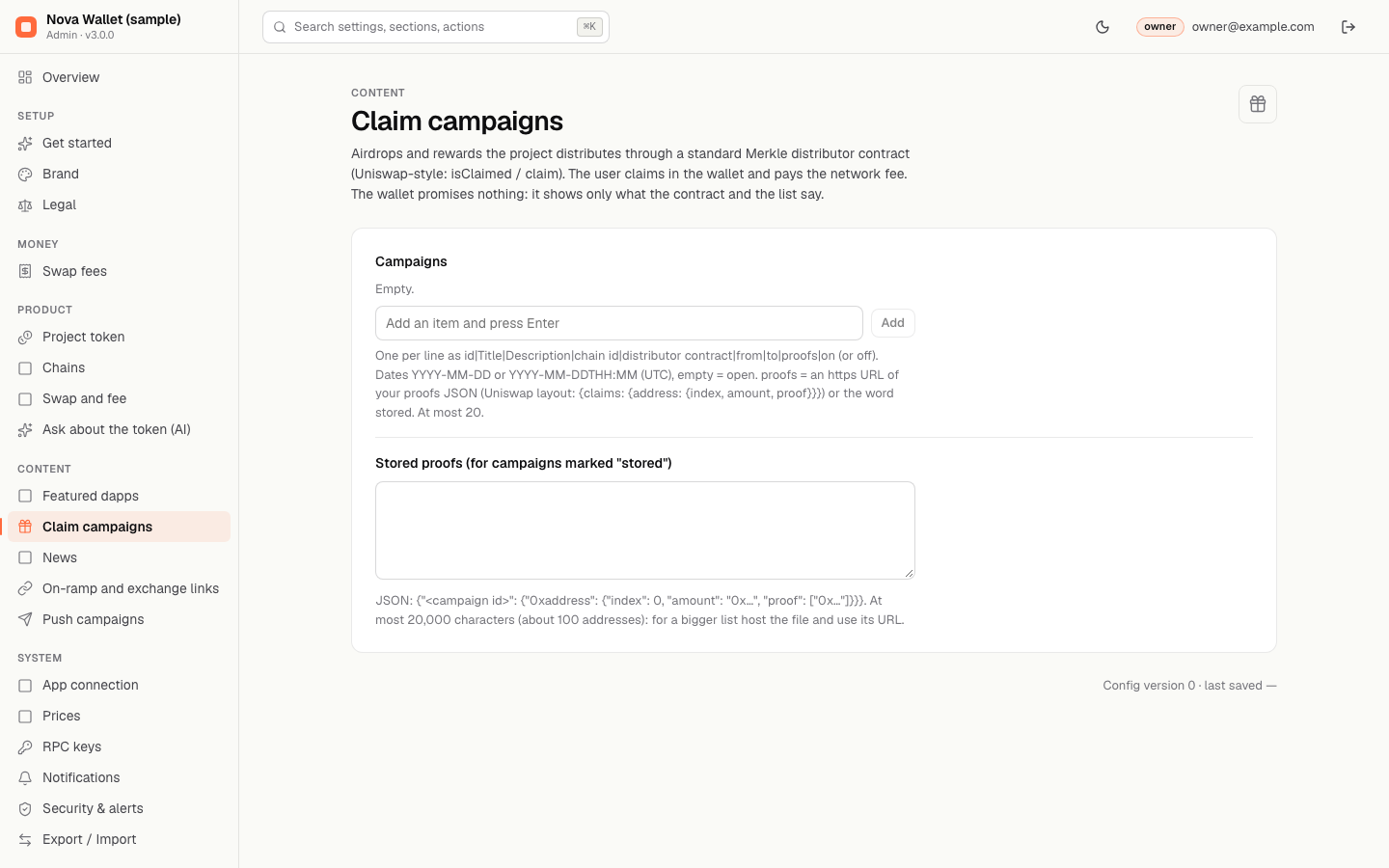
Console, Claim campaigns, one line per campaign (at most 20):
id|Title|Description|chain id|0xdistributor|from|to|https://proofs-url or stored|onFor example s1|Season 1|Rewards for early holders|8453|0xYourDistributor|2026-12-01|2026-12-31|https://example.com/proofs.json|on. from and to are optional dates; the server lists only campaigns that are on and inside their window.
03Proofs: URL or stored
| Mode | Use when | How |
|---|---|---|
| Proofs URL | Large lists | Put an https URL on a public host (no private or local addresses, at most 8 MB). The backend downloads and caches it for 10 minutes and looks up one address per request, so phones never download the file. Accepted layouts: { merkleRoot, claims: { address: { index, amount, proof } } } (the Uniswap layout), a plain { address: entry } map, or [{ address, index, amount, proof }]. |
| Stored proofs | Small lists | Write stored in the line and paste the JSON into Stored proofs. The console saves it to claimProofs/<id> in Firestore. |
Amounts may be decimal or 0x hex strings, in the token's smallest unit. The Status page checks that every campaign's proofs are reachable.
04What the holder sees
Home, Claim (or the Project tab) lists open campaigns. The wallet checks the active address: "You can claim <amount>", "Already claimed" (read from the contract with isClaimed), or "This address is not on the list". Claiming opens the signing screen with the contract, the amount and the network fee. A watch-only account cannot claim. The wallet promises nothing about the value of what is claimed.
The signing screen blocks a claim that also sends value, because a real claim never needs it.