
● Features 3.1 · Console and app
Community votes
your Snapshot space inside the wallet.
Show the proposals of your Snapshot space and let holders vote by signing, without gas.
01What it does
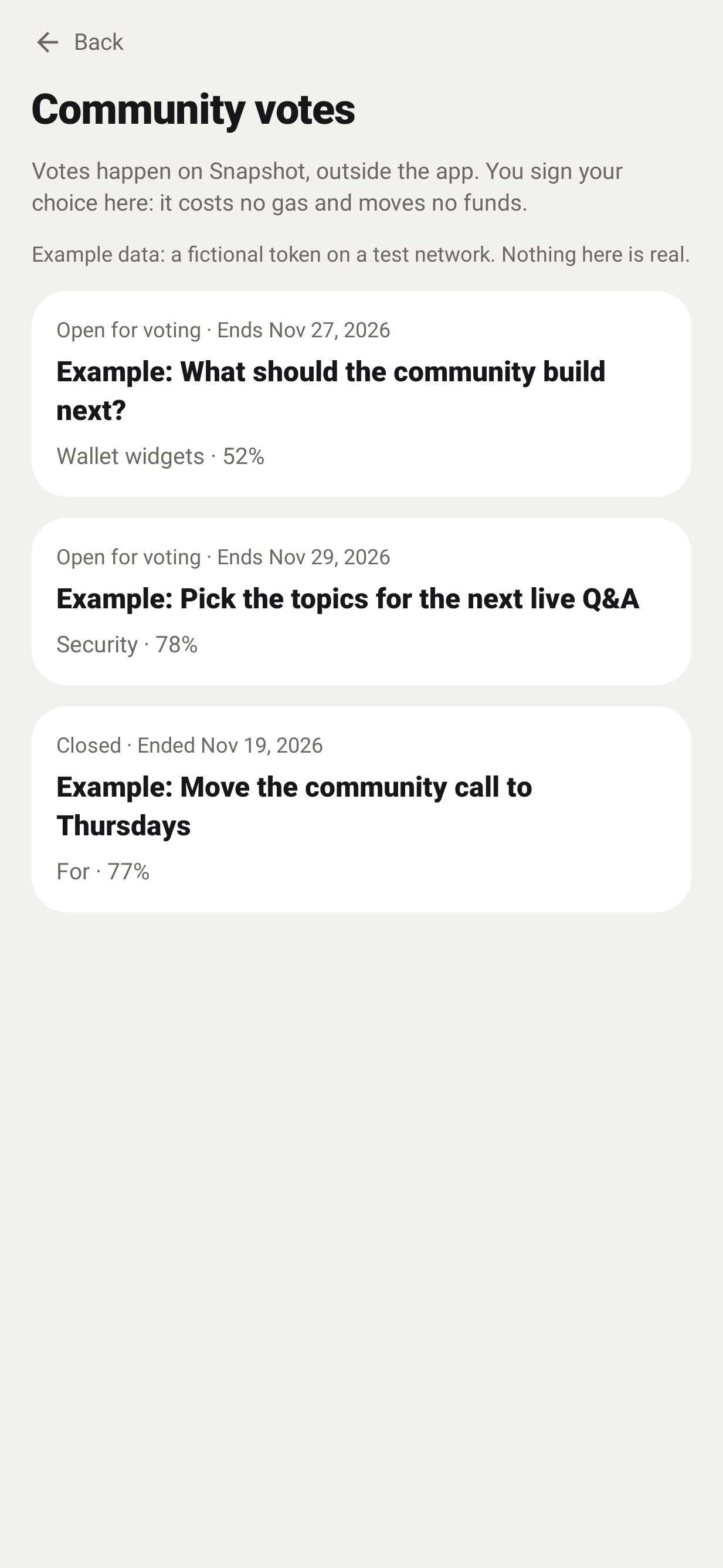
If your community already votes on Snapshot, the app lists the proposals of your space with their state and results, and lets a holder vote. A vote is a signed message, so it costs no gas. Snapshot decides who may vote and how votes are counted; the app only shows and signs.
02Switch it on in the console
- Holder featuresSwitch on Community votes.
- Snapshot spaceEnter the ENS name of your space, for example
nova.eth. A name that does not look like an ENS name keeps votes off and is reported on the Status page.
03What the holder sees
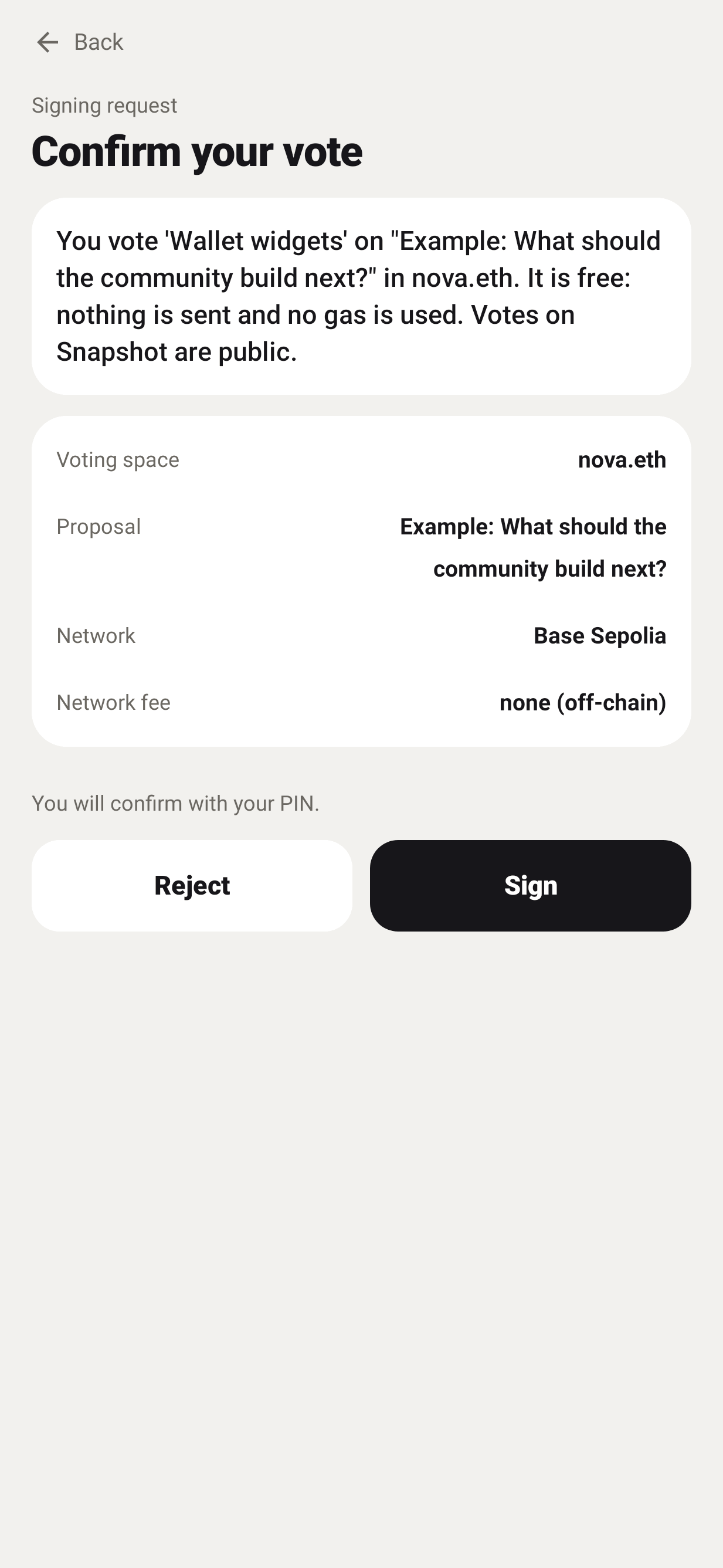
A list of proposals, a detail page with the choices and results, and a vote sheet. The vote goes through the one signing screen, which says in plain words which proposal, which space and which choice.
04Security notes
- The app talks to Snapshot's public service directly. Your backend is not involved and sees nothing.
- The decoder recognises a Snapshot vote only for the exact typed-data layout; anything else stays an unknown signature request with a warning.
- If the app could not look the proposal up itself, the signing screen says it cannot show the title and a tick is needed. A vote whose content does not match the proposal on screen is blocked.
- Proposal titles are shown as plain text with unusual or invisible characters removed.