
Holder tiers
a card that shows where the holder stands.
Name up to six tiers by token balance. The holder card changes its finish by tier and shows how far the next tier is.
01What it does
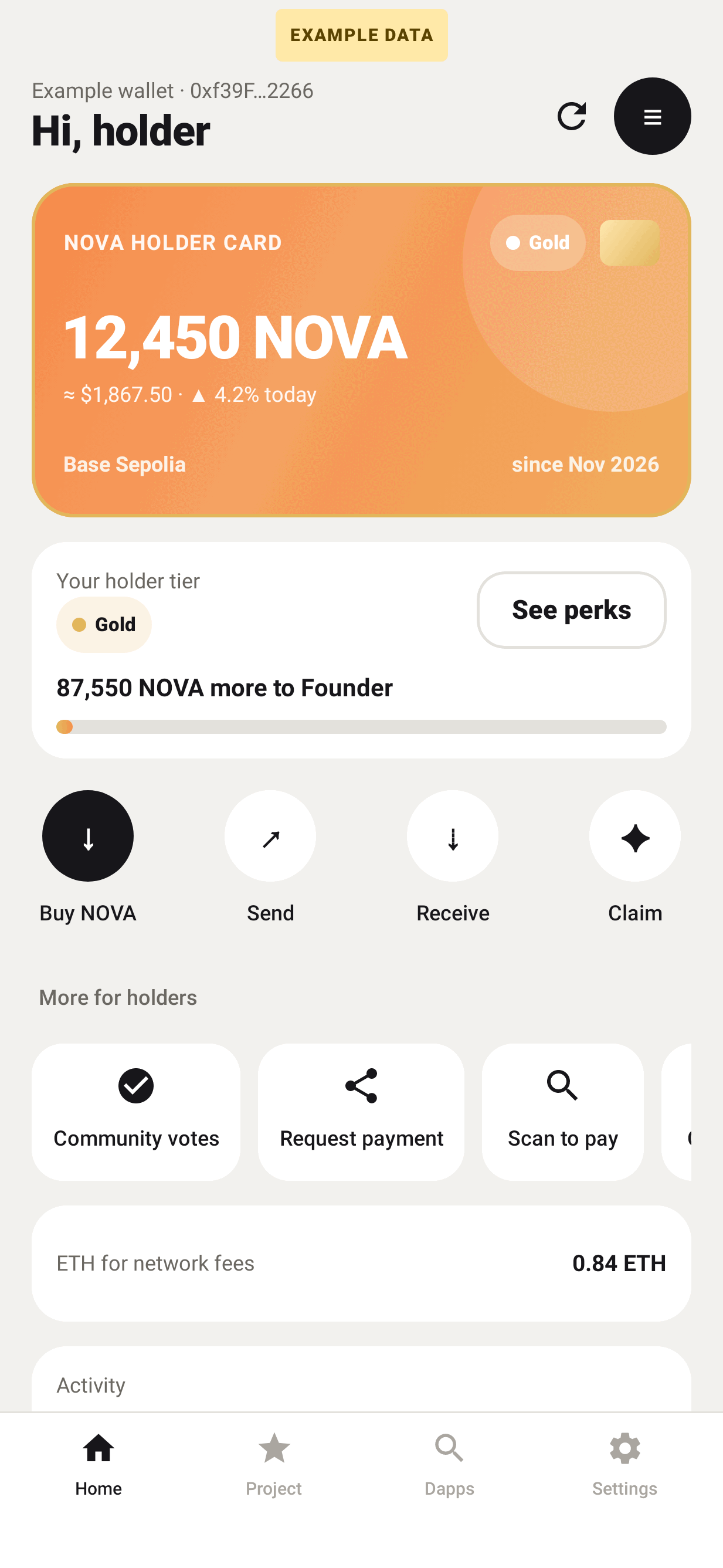
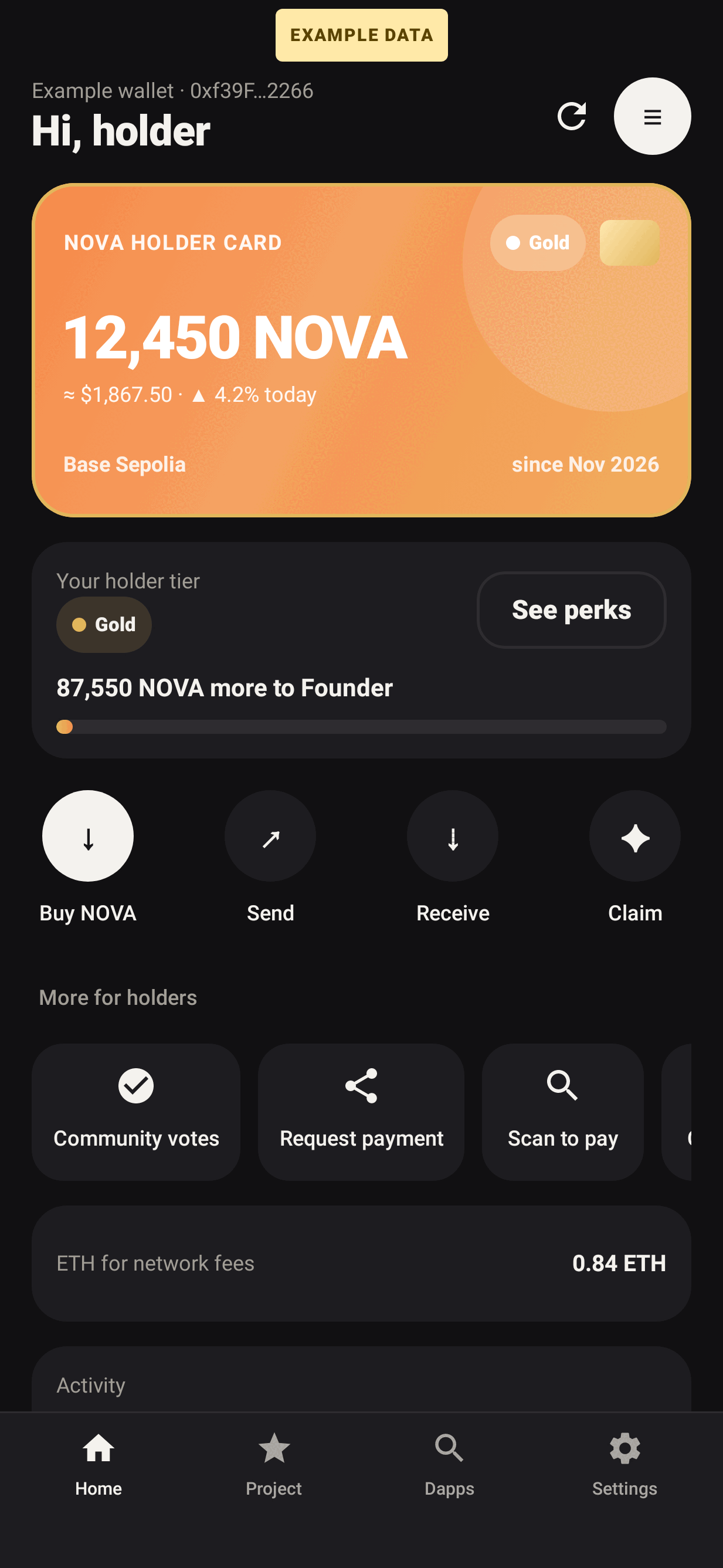
Tiers are named steps on the balance of your project token, for example Member, Silver, Gold and Founder. The home card shows the holder's tier badge, a finish in the colour you chose and a plain line about the next tier. Tiers also decide who can open holder-only posts. A tier carries no cash value and no promise: the perks are sentences you write, such as "early access to votes".
02Switch it on in the console
- Project tokenSet the token first (Product, Project token). Tiers read the balance of that contract.
- Holder tiersOpen the Holder tiers section and add one line per tier:
id|Name|minimum balance|#RRGGBB|perk; perk, lowest first. Example:silver|Silver|1000|#9AA4B2|Early access to votes; Silver badge. - SaveThe backend publishes the list in the public configuration. The app picks it up on its next refresh, with no new release.
- Up to six tiers.
idis lowercase letters, digits,-or_, unique, up to 24 characters.nameup to 30. - The minimum balance is in token units (1000 means a thousand tokens), not wei. The first tier may be 0.
- Up to eight perks per tier, 80 characters each.
- Balances must be strictly ascending. If they are not, the whole list is switched off and the Status page says so: nothing is guessed.
No tiers means the feature is off and the home card looks as in 3.0. Tiers are by balance only: holding time cannot be checked honestly without an indexer, so it is not offered.
03What the holder sees
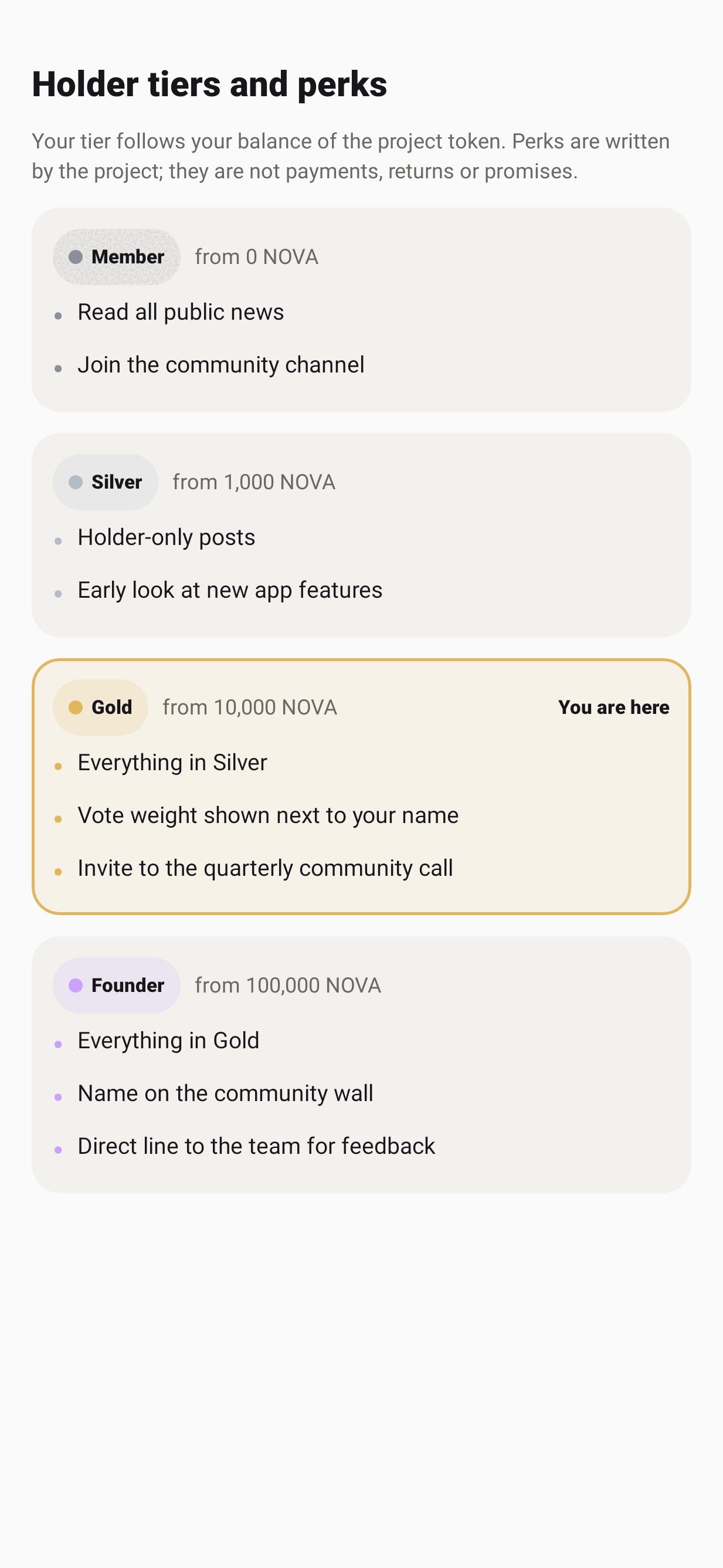
The card gets the tier badge and finish. Tapping it opens a sheet with the tier's perks and the balance still needed for the next tier. A holder below the first tier sees the first step as the goal. The tier is worked out on the phone from the balance it already reads.
04Security notes
- Nothing is signed and no balance is sent to your backend to show a tier.
- Tier names and perks come from your console only and are shown as plain text, with unusual or invisible characters removed.
- Do not promise value in a perk. The store listing and the app both say a tier is a label.